Grip Limited Website
Overview
To provide context, a core concept for the website was to reflect that design is often messy and constantly evolving.
Our Creative Director, in collaboration with the Technical Director, generated ideas that embodied this principle, ultimately developing a solution known as "Mark"
Goals
To effectively showcase animations on our site, we utilized WebGL.
My responsibilities included:
- Developing a new company website that showcased our brand.
- Creating a WebGL renderer for displaying engaging animations.
- Designing an API/CMS for managing data and powering the Mark.app experience.
- Implementing a content management system (CMS) for managing website content.
- Deploying and maintaining the site to ensure optimal performance.
I selected ReactJS for the frontend due to its capability for seamless page transitions and efficient state management.
MarkGL
I developed a javascript module called "MarkGL" to display animations created by the Mark.app.
Here's a summary of its key features:
- Querying the DOM for nodes tagged with an animation ID.
- Calculating the position of a node relative to the GLCanvas.
- Listening for trigger events, such as hover, focus, and page load.
- Rendering an animation at the specified screen coordinates.
The animation data is stored in a single array buffer. Playback is controlled by providing an index and offset within the buffer.
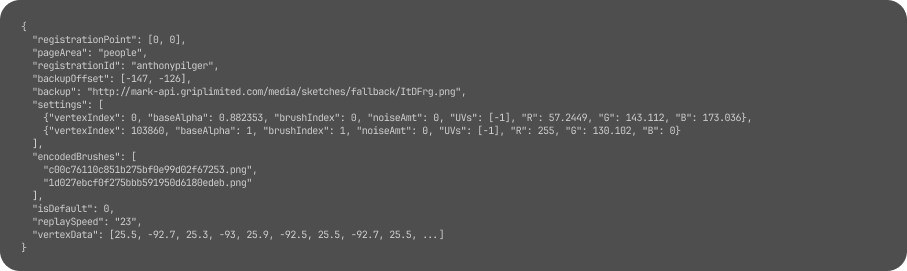
The shader program is designed to be straightforward, allowing for adjustable parameters for position, color, and noise.
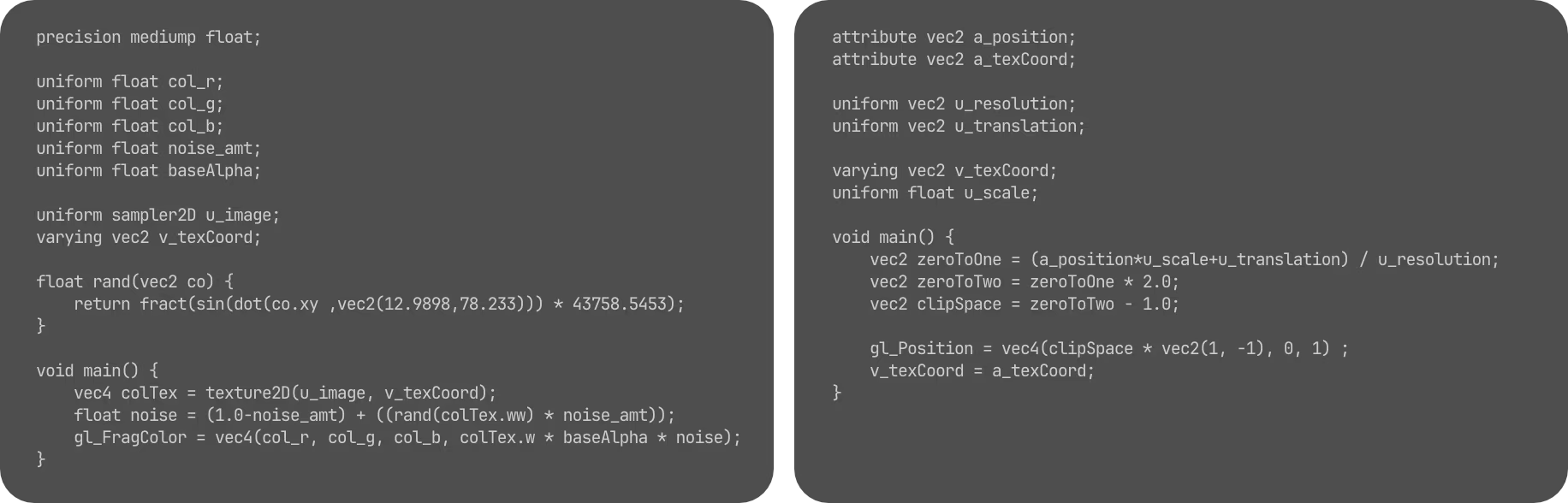
With the expertise of our designers, this setup could produce remarkable results.
MarkAPI Service
To manage data from the Mark.app, I chose Django due to its comprehensive feature set, which facilitates rapid iteration.
The service needed to store all raw data, history, and any new brush images used by designers for animations. It was crucial for designers to be able to easily push new content without managing files.
Additionally, data had to be converted for website playback, and generating an atlas map for any brushes used.
Recognizing that WebGL's adoption was not yet widespread, I implemented fallback images to ensure compatibility across different browsers and devices.
Grip CMS
Given our experience with Django on various Grip projects, it was a natural fit to use the framework again for the CMS.
The built-in admin panel, combined with custom widgets, enabled rapid iteration while providing content editors to manage content updates.
Hosting
The production environment consisted of an EC2 instance running Docker in swarm mode, providing a robust and scalable foundation for our website.
Although a full-scale swarm setup might have been overkill, this configuration allowed for rapid deployments, streamlining the development process.
Furthermore, this setup made it easy to replicate the environment for local testing and development purposes.
In the event of server failure, I set up an auto-scaling group to automatically replace the instance, ensuring minimal disruption.
Throughout my tenure managing the website, we never experienced any unintended downtime. During testing, a fail-over would typically take around five minutes, which was deemed acceptable given the low-risk nature of our online presence.
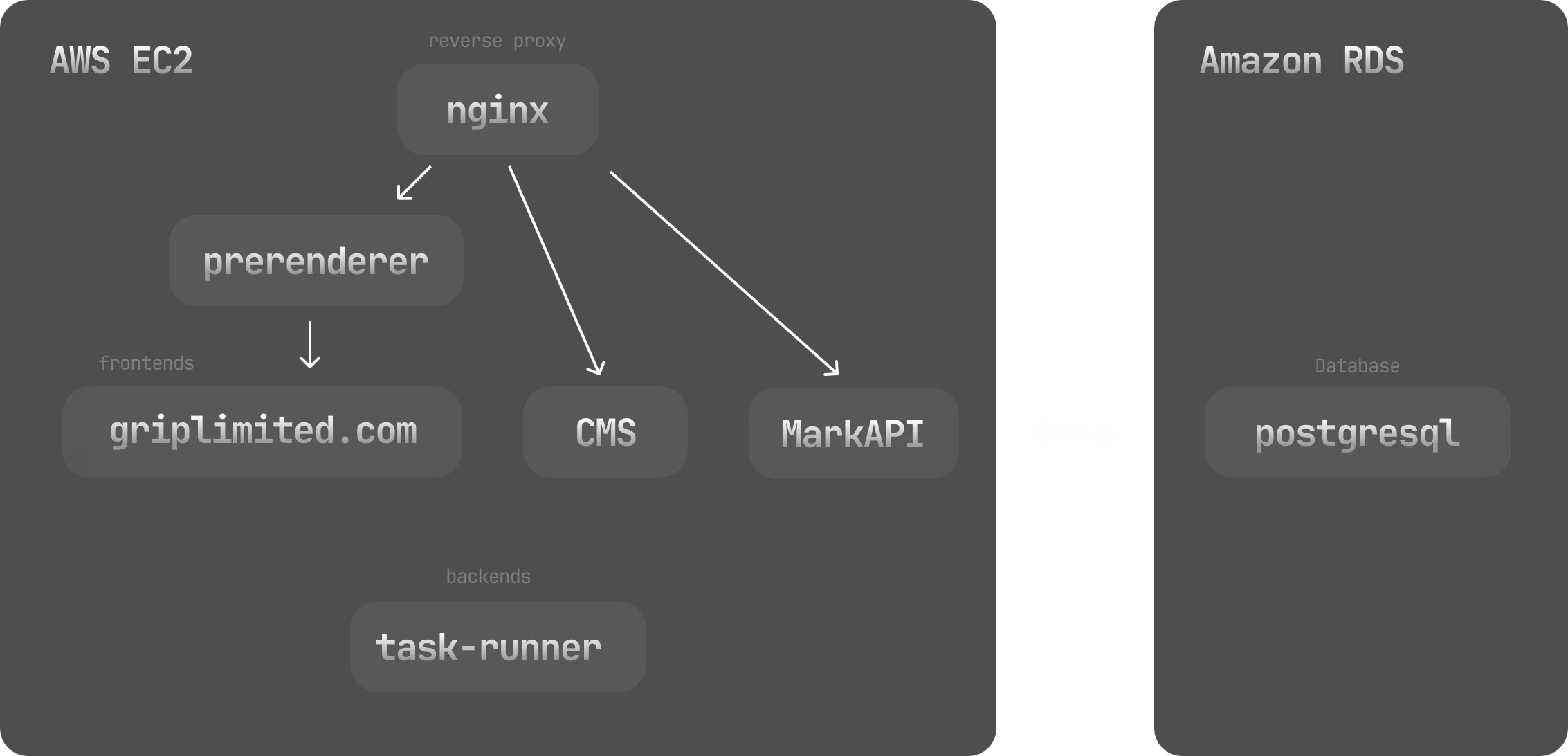
On Premise Setup
I also managed our web development resources and deployments.
To streamline our workflow, I provisioned a swarm environment and implemented GitLab for source control and continuous integration/continuous deployment (CI/CD). This transition from SVN to GitLab was a significant milestone for our team, enabling us to work more efficiently and effectively.
Docker Flow Proxy was used to automatically update routing configurations for projects deployed through build pipelines.
This setup eventually became the central hub for hosting all our internal development and client staging projects, as well as triggering our production pipelines.
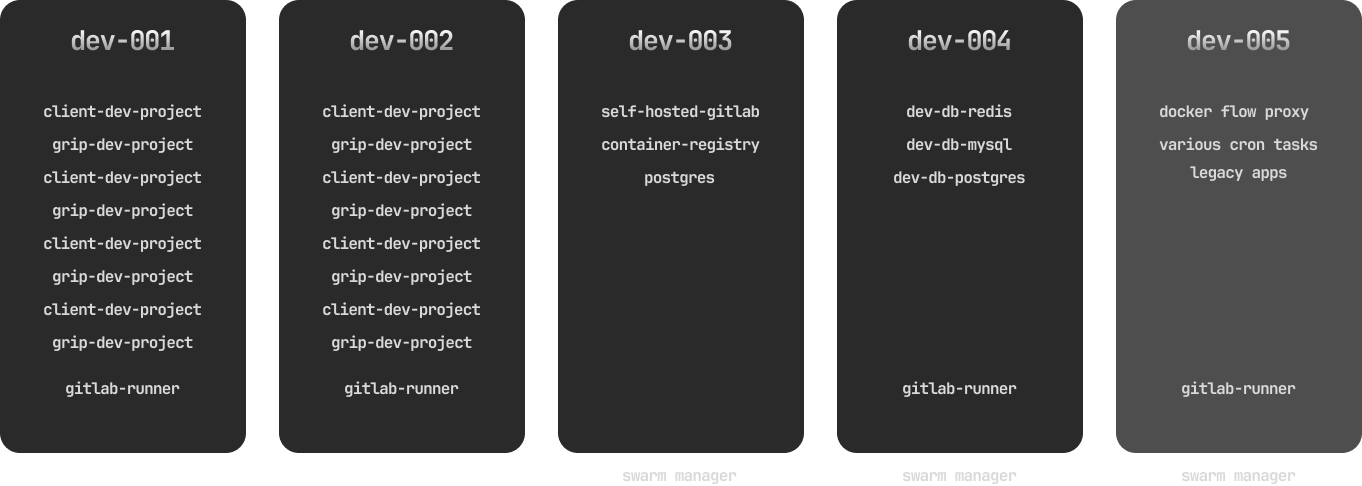
Here is a video the team put together to showcase what Mark.app could do.
